
Ubuntu aiglx 설치시 문제점에 대해 질문합니다.

노트북에 ubuntu dapper drake 설치하고 aiglx 설치 howto 문서를 여기저기 찾아서 설치 해봤습니다.
direct rendering은 yes라고 나오지만
libGL warning: 3D driver claims to not support visual 0x5b
libGL warning: 3D driver claims to not support visual 0x23
libGL warning: 3D driver claims to not support visual 0x25
libGL warning: 3D driver claims to not support visual 0x27
libGL warning: 3D driver claims to not support visual 0x29
libGL warning: 3D driver claims to not support visual 0x2b
libGL warning: 3D driver claims to not support visual 0x2d
libGL warning: 3D driver claims to not support visual 0x2f
libGL warning: 3D driver claims to not support visual 0x31
이런 경고 메시지가 뜹니다.
어쨌거나 beryl-manager를 실행시키고 윈도 관리자를 beryl로 변경하면
화면이 뒤집힙니다. ㅡㅡ;; 화면이 완전히 뒤집어지는게 아니라 오브젝트 별로 뒤집어지네요...
어찌해야할지를 모르겠습니다. ㅠㅠ
그래픽카드는 mobile i915입니다.
그리고 실행 시켰을 때 화면 첨부합니다. 도와주세요...
| 첨부 | 파일 크기 |
|---|---|
 screen_shot.jpg screen_shot.jpg | 126.63 KB |
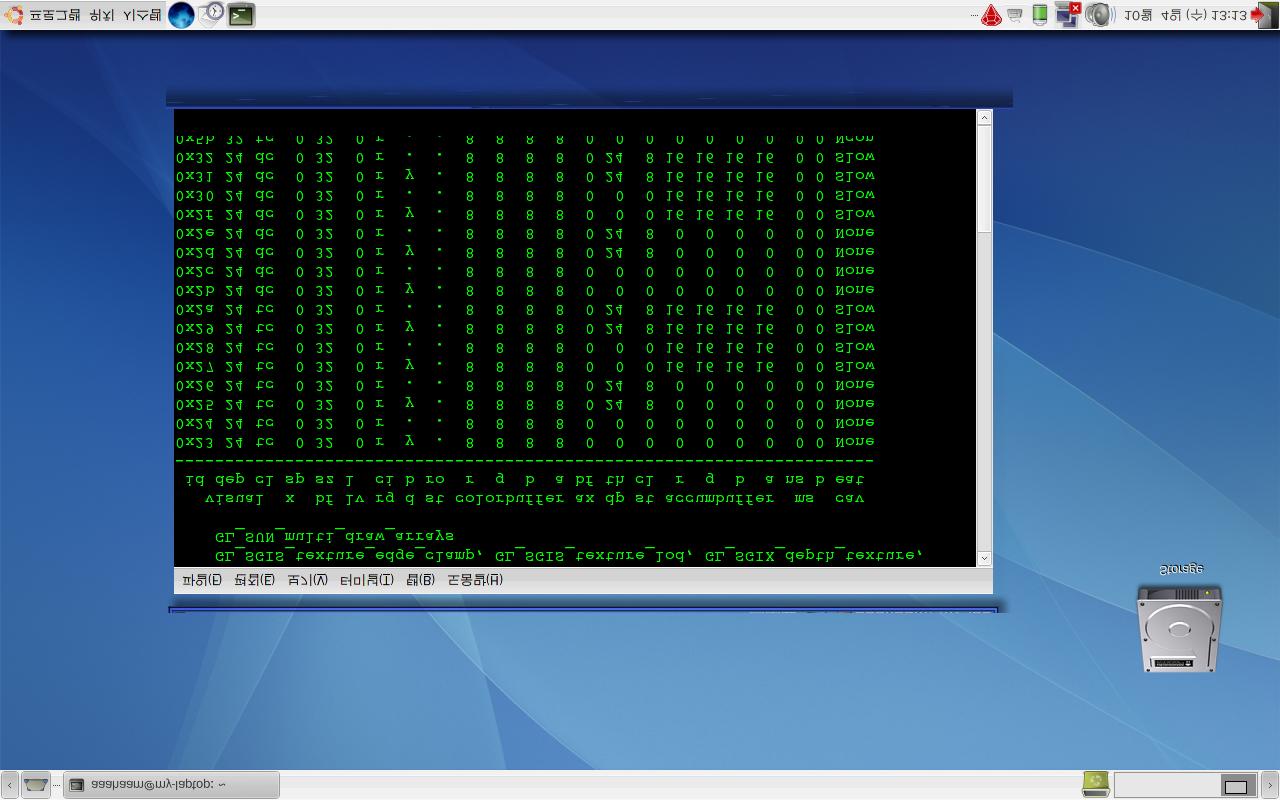
우선 이 위키를 보고
우선 이 위키를 보고 설정이 다른 것이 있는지 확인해 보세요.
----
I paint objects as I think them, not as I see them.
Ubuntu Edgy user / Ubuntu KoreanTeam
----
I paint objects as I think them, not as I see them.
atie's minipage
제가 보고 한 위키 문서네요...
한가지 다른점은...
제가 설치한 커널 버전이 2.6.15-27-686인데 dri module이
linux-dri-modules-2.6.15-26-686까지 밖에 없어서 설치를 못한 점입니다...
아~ 함~ ㅡoㅜ
아~ 함~ ㅡoㅜ
전 그냥 짜증나서
전 그냥 짜증나서 edgy로 올렸습니다.
....바로 되더군요. -_-;
9월에 dapper kernel
9월에 dapper kernel 업데이트가 있어서 그런가보군요. 15-26 커널을 설치해서 되는지 보세요. 아니면 edgy가 답이겠습니다. ;;
----
I paint objects as I think them, not as I see them.
Ubuntu Edgy user / Ubuntu KoreanTeam
----
I paint objects as I think them, not as I see them.
atie's minipage