
gnome 에서 ipod 제대로(?) 인식시키기.

글쓴이: ganadist / 작성시간: 토, 2005/01/15 - 3:56오전
그놈 2.8에서 적용됩니다.
다음 내용을 /usr/share/hal/fdi/20freedesktop/apple-ipod.fdi 로 만듭니다.
<?xml version="1.0" encoding="ISO-8859-1"?> <!-- -*- SGML -*- -->

<deviceinfo version="0.2">
  <device>
    <match key="storage.model" string="iPod">
      <match key="storage.vendor" string="Apple">
          <merge key="storage.icon.drive" type="string">gnome-dev-ipod</merge>
          <merge key="storage.icon.volume" type="string">gnome-dev-ipod</merge>
      </match>
    </match>
    <match key="@block.storage_device:storage.model" string="iPod">
      <match key="@block.storage_device:storage.vendor" string="Apple">
        <match key="volume.fstype" empty="false">
          <!-- prevent to change mount point  (fstab-sync trying mount to /media/LABEL not /media/ipod -->
          <merge key="volume.label" type="string">ipod</merge>
          <!-- mount option -->
          <merge key="volume.policy.mount_option.utf8" type="bool">true</merge>
        </match>
      </match>
    </match>

  </device>
</deviceinfo>
그런 다음 /etc/init.d/hald 를 재시작하고 gnome-vfs-daemon과 nautilus 를 재시작합니다.
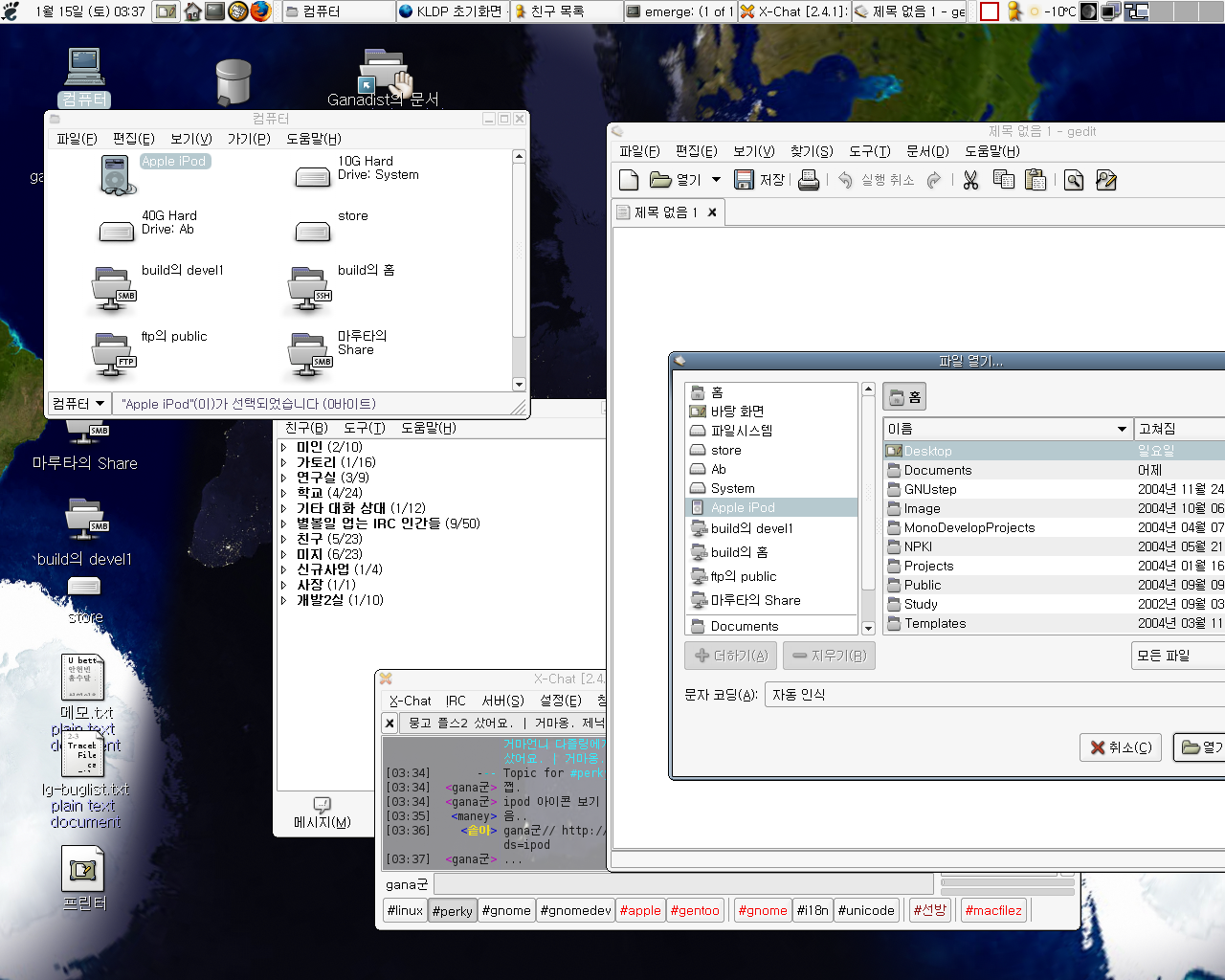
그런다음 ipod를 연결하면 ieee1394disk icon대신 ipod icon이 nautilus나 gtkfilechooser에 나타나게 됩니다.
File attachments:
| 첨부 | 파일 크기 |
|---|---|
 gnome-vfs-ipod.png gnome-vfs-ipod.png | 559.24 KB |
Forums: